
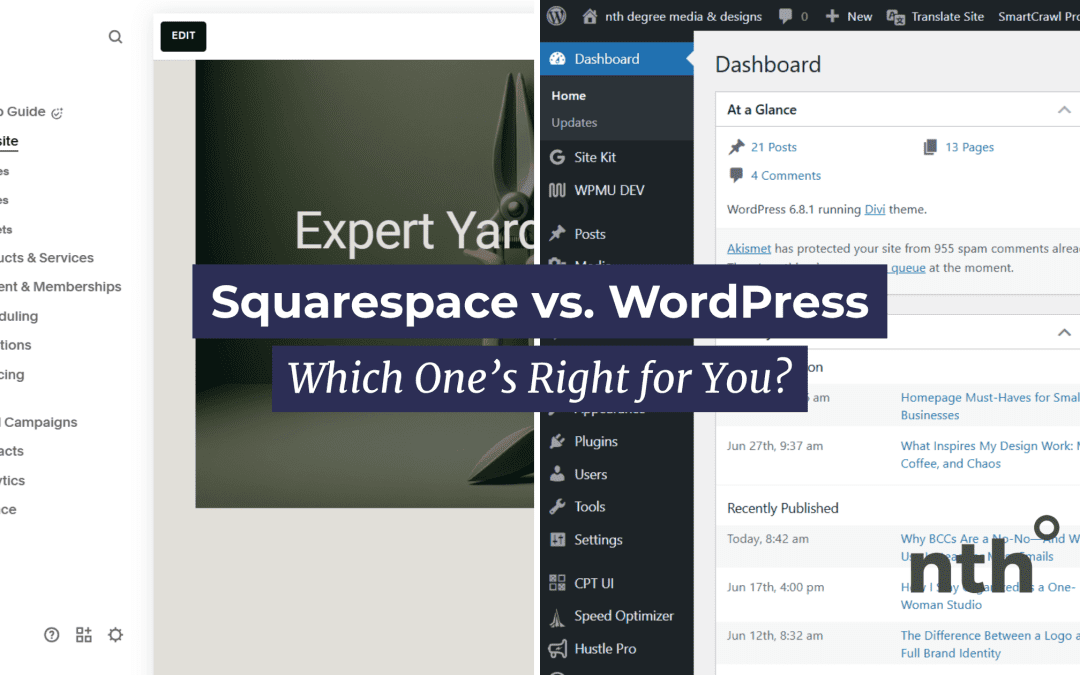
The pros, cons, and honest breakdown from a designer who’s worked with both.
Disclaimer: This post may contain affiliate links, which means I may earn a small commission (at no extra cost to you) if you click through and make a purchase. I only recommend products and services I truly believe in.
If you’re building a website for your small business or personal brand, chances are you’ve heard of Squarespace and WordPress.
They’re two of the most popular platforms out there, but they work very differently.
So which one should you choose? That depends on what you need, how tech-savvy you are, and how much control you want over your site.
Here’s an honest breakdown to help you decide.
Squarespace: Sleek, Simple, and All-In-One
Best for: creatives, small business owners, and service providers who want a clean, modern site without the tech headaches
Pros:
- All-in-one platform: hosting, templates, and tools are all included
- Drag-and-drop builder: easy to learn and use, even if you’re not techy
- Beautiful templates: great design right out of the box
- Built-in features: blogging, e-commerce, scheduling, email marketing
- Support included: you can reach out to customer support when needed
Contras:
- Limited customization: you can tweak things, but only within Squarespace’s framework
- Less flexibility: if you need something super specific or custom, you may hit a wall
- Subscription-based: monthly or yearly fees that can add up over time
- Declaración de accesibilidad: I have found that Squarespace tends to be less accessible and it’s hard to make simple changes that make it more accessible (example: in pre-loaded/designed layouts or sections, you’re not able to change the header level, which may make it hard to navigate for a screenreader)
WordPress (Self-Hosted): Flexible, Scalable, and More Technical
Best for: businesses that need full control, advanced functionality, or plan to scale
Pros:
- Highly customizable: with thousands of themes and plugins
- You own everything: no platform limitations or content restrictions
- Scalable: great for growing businesses or large content libraries
- Endless integrations: connect almost any tool, system, or feature
- More SEO tools: fine-tuned control over optimization
- Declaración de accesibilidad: You can build a very accessible (and beautiful) website with WordPress.
Contras:
- Steeper learning curve: setup and maintenance can be tricky if you’re not tech-savvy
- You’ll need hosting: services like SiteGround, Bluehost, or WP Engine
- Regular updates and backups, you’re responsible for keeping things running smoothly (unless your hosting platform offers this as part of your plan)
- Can get messy: plugins can conflict with, slow down, or compromise your site if not managed well
Squarespace vs. WordPress: Quick Comparison
| Feature | Squarespace | WordPress (Self-Hosted) |
|---|---|---|
| Ease of Use | Very beginner-friendly | More technical to learn |
| Design Options | Beautiful, limited templates | Limitless with the right skills |
| Customization | Moderate | Very high |
| Cost | Flat monthly/yearly fee | Varies depending on setup |
| Ideal For | Simple, stylish websites | Custom, scalable sites |
| Apoyo | Built-in support | Community support or paid help |
So… Which One’s Right for You?
Choose Squarespace if:
- You want a site that looks great and works without much fuss
- You’re launching a simple service, portfolio, or blog
- You’d rather not deal with plugins, updates, or hosting
Choose WordPress if:
- You want full control and custom features
- You need specific integrations or functionality
- You’re comfortable (or willing to learn) how to manage your own site
My Take as a Designer
I’ve built sites on both platforms for all kinds of clients.
Squarespace is great when you need a quick, polished site without custom bells and whistles.
WordPress shines when you need more control or want to build something totally unique.
Still unsure? I can help you weigh the options based on your goals, tech comfort, and budget. The best platform is the one that supports you and your business—not just the trendiest one.
Want help deciding or mapping out your next site?
Let’s talk. It’s what I do.

 ES
ES  EN
EN